
Flight Map
Flight Map is a live map of real planes. The planes are the fun part. The real point is what it proves about Fabric apps: a fully custom app, on live outside data, running inside a Microsoft Fabric workspace. Injae Park's Transit Control app got me hooked on the idea.
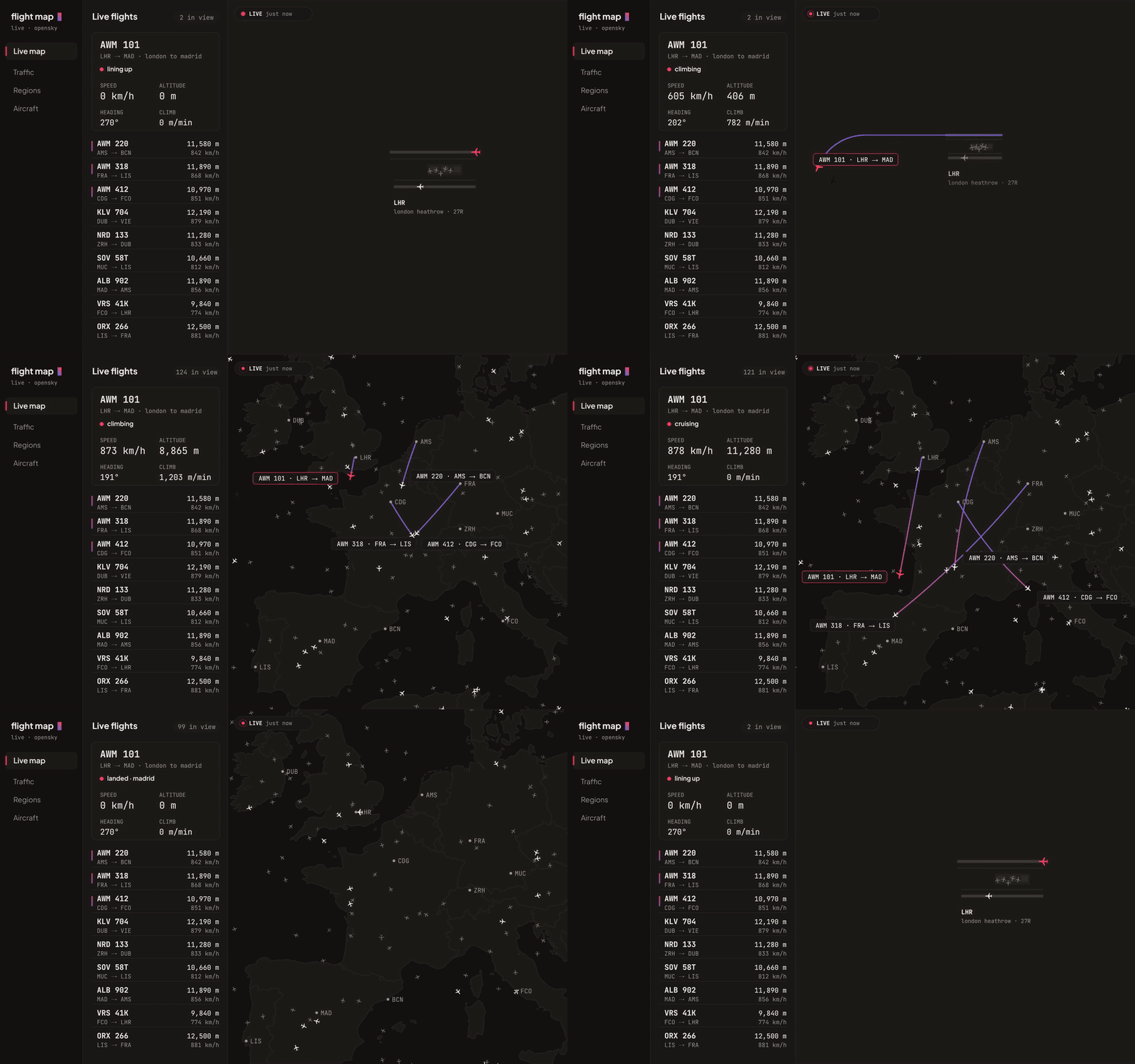
How it is built as a Fabric app
It started from Rayfin's blank app template. A Rayfin project is an ordinary React and Vite app plus one config file, rayfin.yml, that declares which Fabric services the app uses. Flight Map turns on three:
- Hosting. Rayfin builds the front end and Fabric serves it from the workspace, so there is no separate web host to run.
- Sign-in. Fabric sign-in for the deployed app, and a simple local sign-in while developing.
- A database. Every Rayfin app can have a SQL database in Fabric. Flight Map has one switched on but barely uses it, because its data lives outside Fabric.
One command, rayfin up, creates the app in the workspace and publishes the build. Another, rayfin env, hands the app its workspace settings at build time, so the same code runs locally and in Fabric without edits.
Getting live data in
The planes come from OpenSky, an open network of receivers that pick up the position each aircraft broadcasts. Two things stop a browser from calling it directly: OpenSky does not allow cross-site requests, and the account key must never ship to the browser.
So a small proxy sits in between. It holds the key, swaps it for a short-lived token, reuses that token until it expires, and forwards only the two read-only requests the app makes: live positions for an area, and one plane's recent track. It answers only the app's own address.
The proxy has a story of its own. I built it first on Cloudflare Workers, then found that OpenSky drops requests from Cloudflare's network. It now runs on Deno Deploy, which OpenSky accepts. In development, Vite's own server does the same job, so the key never leaves the machine.
The app asks only for the area on screen, every five seconds. OpenSky budgets how much each account can ask for, so the Regions panel jumps between preset areas instead of loading the whole world, and when OpenSky asks the app to slow down, it says so on screen.
Making it feel live
Raw data arrives every five seconds, which on its own looks like planes jumping. The map smooths it out:
- Between updates, each plane glides from where it is to its new position, turning along its heading.
- If updates stall, planes keep flying on their last speed and heading for a short while.
- Select a plane and it jumps back to where it was five minutes ago, then flies forward along the route it really took. While that route loads, it follows a straight estimate, then switches to the real line without restarting.
What is in the app
- Live map with a searchable list of flights and a strip of cards along the bottom.
- Flight detail: speed, altitudes, heading, climb rate, squawk code and position, refreshed live.
- Traffic overview: how many planes are in view, airborne and on the ground, and where they are from.
- Regions: preset areas from Western Europe to South East Australia.
- Aircraft search by callsign, country or transponder code.
What it showed me
If it runs in a browser, it can live in Fabric. The same pattern now carries my apps over semantic models: a custom interface where the data and the people already are, without a separate platform to sign into or secure.